
Description:
QBCORE & ESX
“The script is standalone, but it comes preconfigured only for ESX and QBCore.”
ADL Book’s System is a resource designed to take your server’s experience to the next level. In simple terms: this script lets you create interactive guides for any aspect of your server, from explaining basic commands to showcasing advanced systems like robberies, drugs, crafting recipes… and much more! 😉
The best part? Everything can be configured directly in-game—no need to mess around with files, code lines, or endless numbers. It comes with full compatibility for both ESX and QBCore, but if you don’t use any framework, the related parts are fully open-source so you can adapt them to your needs.
Admin Menu
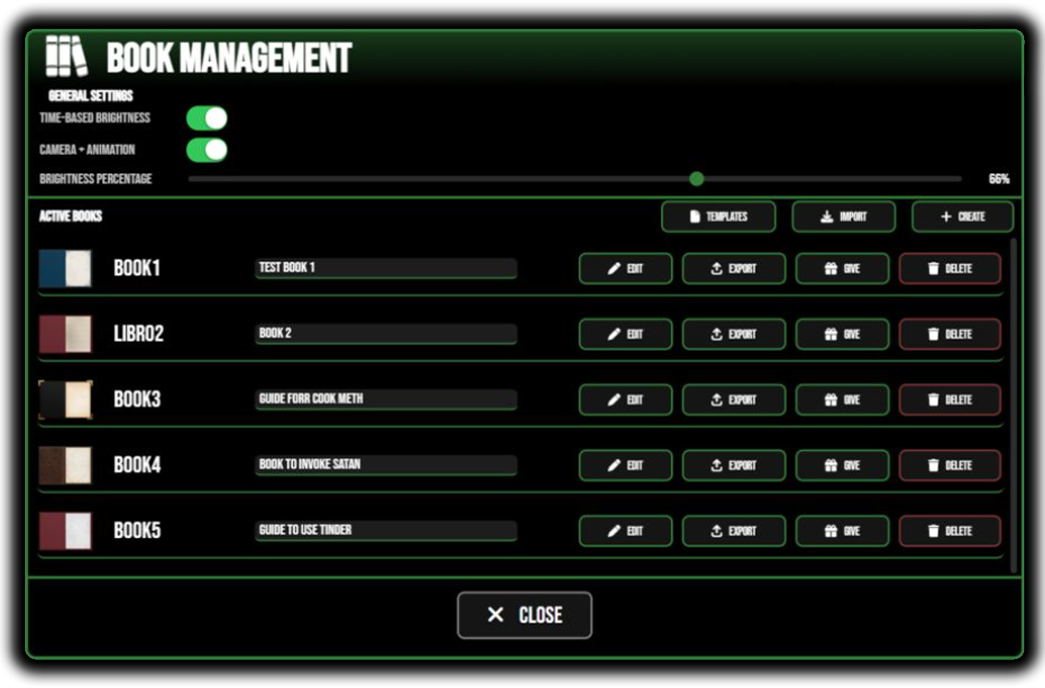
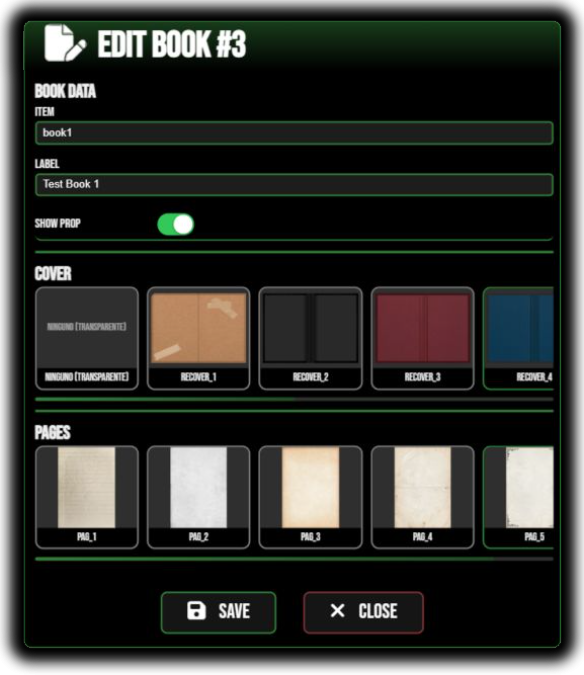
Inside the script, you’ll find a complete admin menu, allowing you to:
Adjust basic settings.
Create, edit, and delete books.
Export and import books to share with other servers.
Change both the page style and the book cover.
Manage your created templates.
Instantly give yourself the book in your inventory.
In-Book Edit Mode
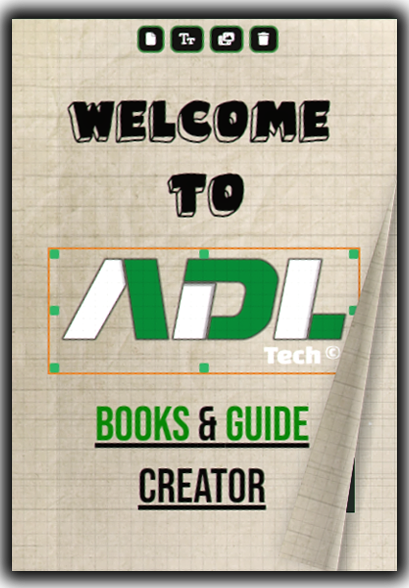
Once a book is created, you can switch into admin mode to edit it page by page, with tools like:
Templates → Save any page as a template to reuse later.
Texts → Add texts and edit their size, color, font, and decorations.
Images → Open a built-in gallery to pick images and add them directly to the page.
Delete → Remove the current page (and yes, if you regret it, just hit
Ctrl + Z).
👉 On top of that, every element in the book can be moved and modified intuitively, no complicated menus needed.
Auto-Detection of Images & Fonts
Here’s a killer feature: you don’t need to manually declare images or fonts. Just drop them in the right folder, and the script will auto-detect them on startup. Zero extra hassle.
Extras & Compatibility
Even though each book is technically an item, you can also open it directly from another script without adding it as a server item:
exports["adl-book"]:useBook(source, "itemname") This opens the door for unlimited integrations: tutorials, personalized guides, or even advanced roleplay systems.
💡 Example Use Cases
A very practical use case is giving each player a starter book with your server’s basics on their first login. This saves your staff plenty of time and ensures that players always have key info at hand.
Another great use is within a crafting system, where recipes aren’t visible anywhere else—only in the book. This makes the item essential for roleplay, encouraging player interaction and discovery.
👉 In short: ADL Book’s System is not just a “book.” It’s a flexible and powerful tool designed to adapt to whatever your server needs—no technical headaches, just plug in and go.