
Description:
STANDALONE & PLUG AND PLAY
PREVIEW VIDEO
More than screenshots. A complete photography workflow inside FiveM.
ADL PhotoLab is built for both FiveM servers and content creators who want better-looking images without leaving the game.
Use it as a complete photography activity for your players, or as a production tool to create polished images for vehicle releases, clothing packs, maps, MLOs, events, characters, social media and store pages.
From camera placement and focus to long exposures, editing, galleries and final export, PhotoLab brings the complete workflow together in one place.
Capture. Refine. Organize. Export.
Built for Servers. Built for Creators.
Use PhotoLab as an in-server photography experience or as a creative production tool.
Roleplay servers: create photography jobs, events, weddings, reports, vehicle advertisements, character sessions and photography competitions.
Vehicle creators: prepare clean promotional shots directly inside FiveM.
Clothing creators: build consistent character and outfit showcases with precise focus and composition.
Map & MLO creators: present environments with controlled framing, depth of field and editing.
Server media teams: create content for announcements, social networks, banners and promotional material.
The goal is simple: give you the tools to make the same scene look intentionally photographed instead of simply captured.
Advanced Photography Camera
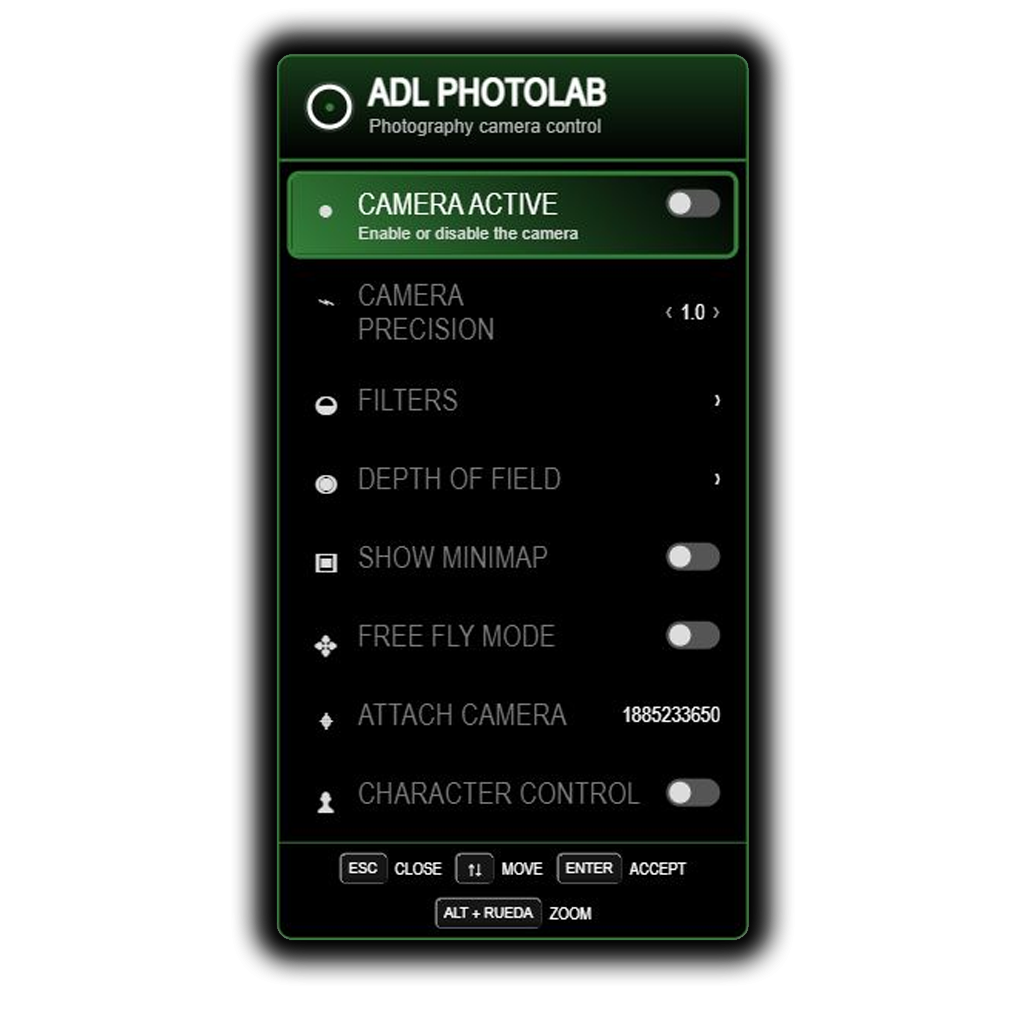
Place the camera exactly where the shot needs it and adjust the movement to match the scene.
Free camera movement.
Adjustable movement speed and rotation precision.
FOV / zoom control.
Camera roll.
Free Fly mode.
Optional GTA visual filters.
Composition helpers.
Temporary UI / HUD hiding for a clean view.
Everything is designed to stay practical while still giving photographers enough control for precise shots.
Depth of Field & Precision Focus
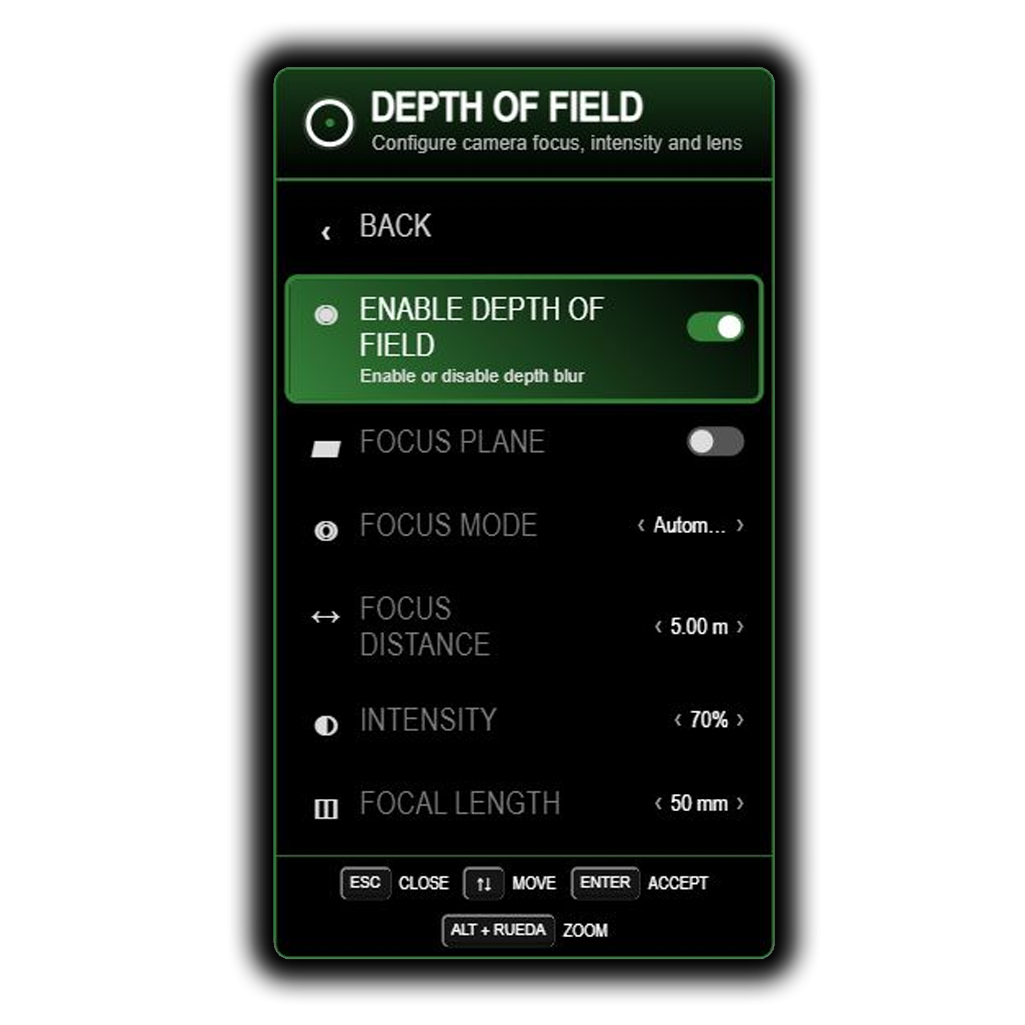
Choose between Automatic Focus for fast shooting or Manual Focus when you want full control over the focal distance.
The automatic system reacts to the subject positioned in front of the camera, while manual mode lets you define exactly where the sharp area should be.
For precise setups, PhotoLab also includes a distance meter and an exact-focus workflow:
Point at the subject.
Measure the distance.
Lock that distance into manual focus.
Recompose the photograph freely.
A temporary visual focus plane can also help you understand where the focused area is located.
Composition Tools
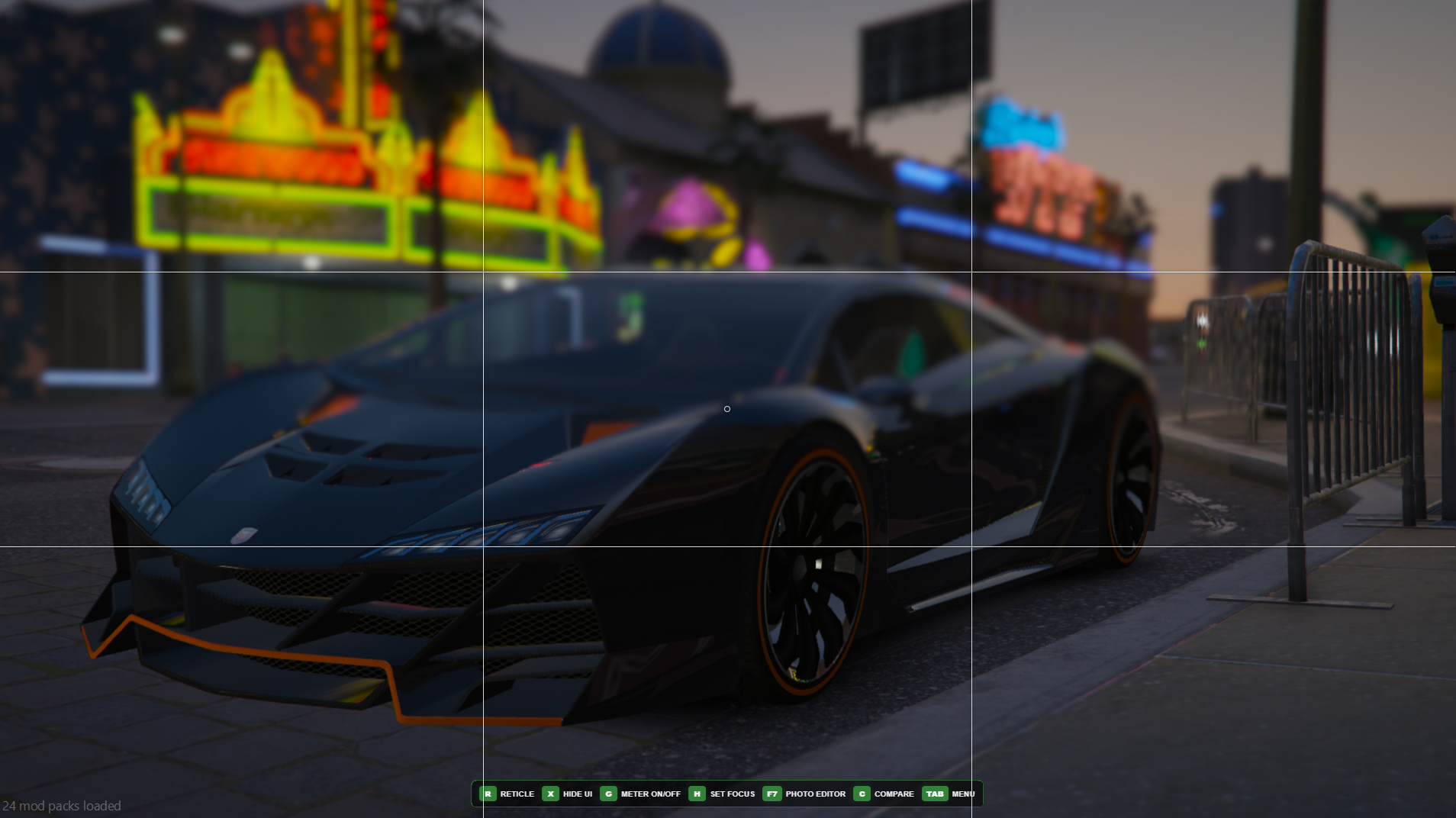
Small photography helpers make it easier to build balanced images without covering the screen permanently.
Rule-of-thirds grid.
Distance measurement.
Visual focus plane.
Quick interface hiding.
Use them while preparing the shot, then remove them instantly when you want a clean frame.
Motion Exposure - Long Exposure Photography
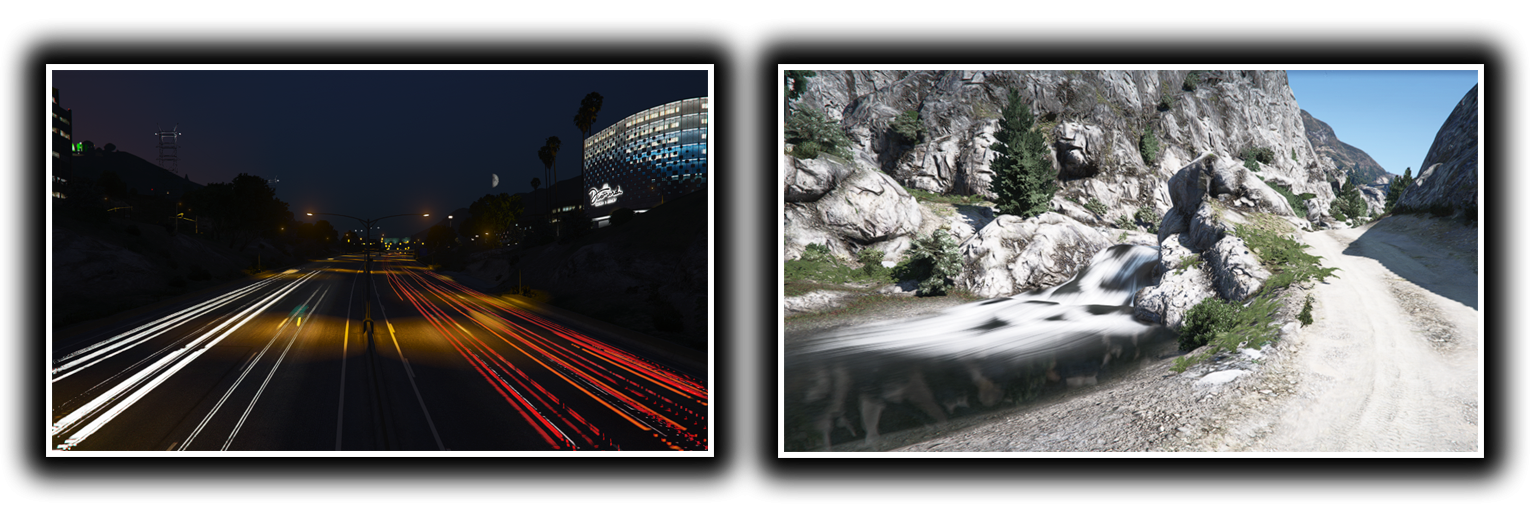
PhotoLab includes Motion Exposure, a dedicated long-exposure mode designed to create photographs that normally cannot be achieved with a standard in-game screenshot.
Choose longer shutter times and let the capture build movement across the photograph. The system processes the scene throughout the exposure and combines that information into the final image automatically.
This opens the door to effects such as:
Vehicle light trails.
Silky water on rivers and waterfalls.
Ghost-like people and moving subjects.
Creative motion photography.
Exposure times can reach up to 20 seconds, giving you enough room to experiment with both subtle movement and dramatic long-exposure scenes.
Light Control & Exposure Meter

Long exposures introduce a new challenge: balancing light while the shutter stays open.
PhotoLab includes a dedicated Light Control and a dynamic exposure meter to make that process easy to understand.
The meter evaluates the current scene and gives you a clear visual reference while you adjust the shot. It adapts to very different lighting conditions, helping you work consistently during daytime, nighttime and darker environments.
In simple terms: you choose the creative exposure time, PhotoLab helps you understand how the final brightness will react.
Real-Time Photo Editor
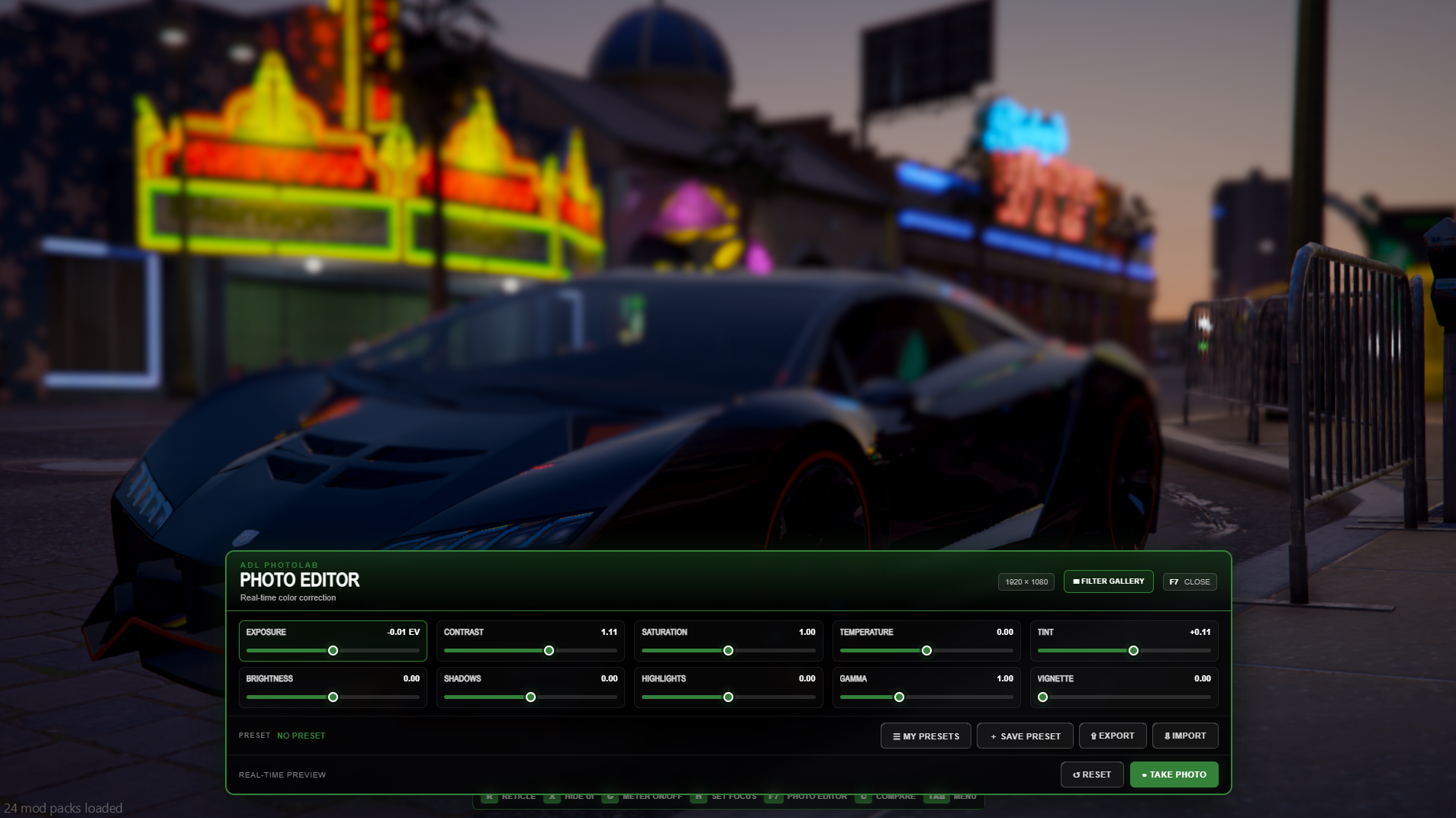
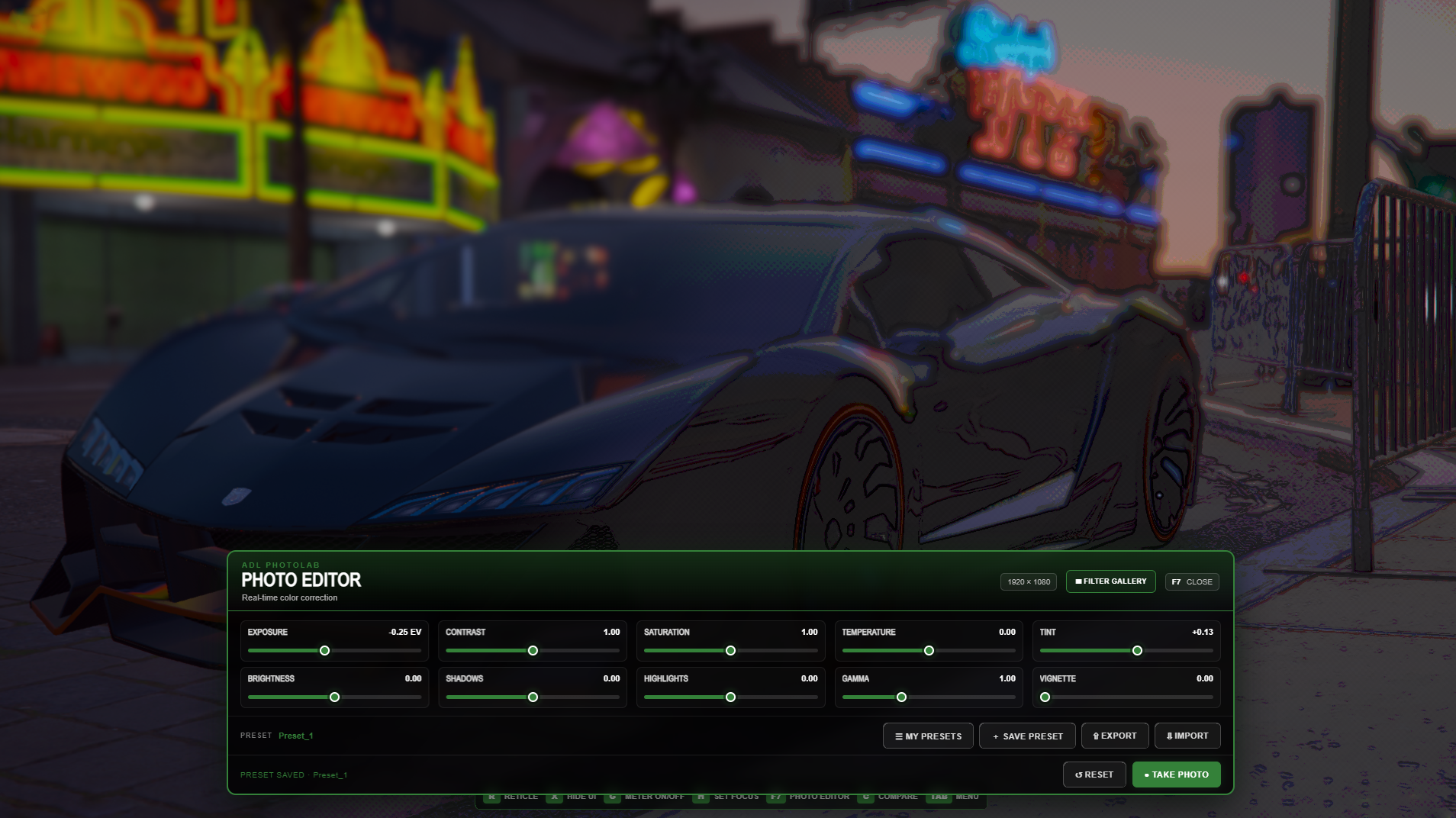
Open the Photo Editor directly from the photography camera and refine the image before taking the final shot.
Adjustments include:
Exposure.
Contrast.
Saturation.
Temperature.
Tint.
Brightness.
Shadows.
Highlights.
Gamma.
Vignette.
The idea is to keep the creative workflow inside FiveM, so you can move from framing to editing without breaking the scene.
Live Histogram
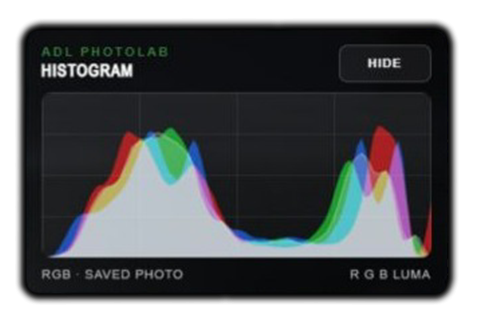
PhotoLab includes a real-time RGB and luminance histogram to the editor.
Instead of judging exposure only by eye, you can quickly see how shadows, highlights and color information are distributed across the image.
The histogram is available while preparing a new photograph and while editing saved Gallery photos, and it can be hidden whenever you want a cleaner workspace.
Gallery - Shoot Now, Edit Later
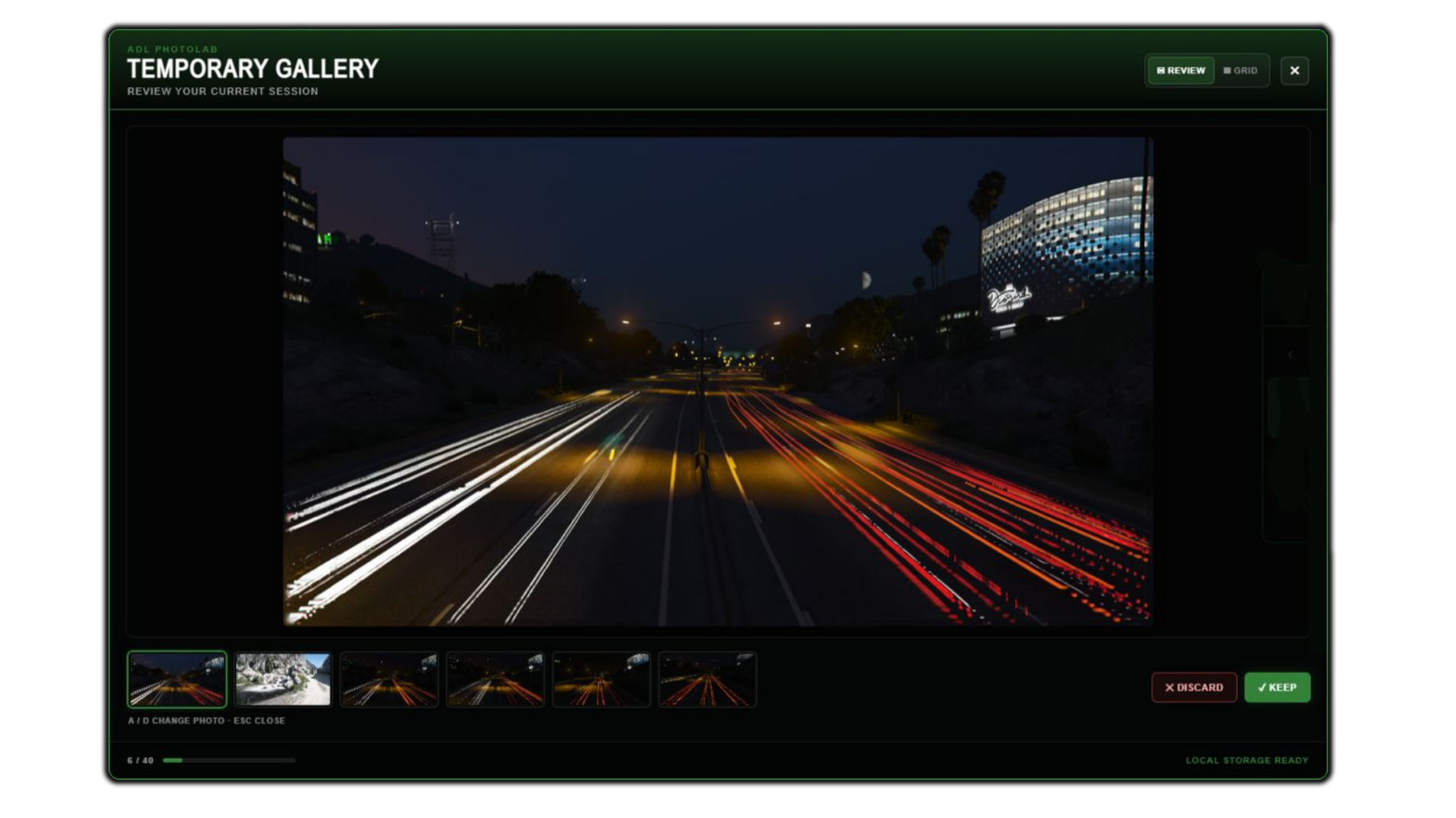
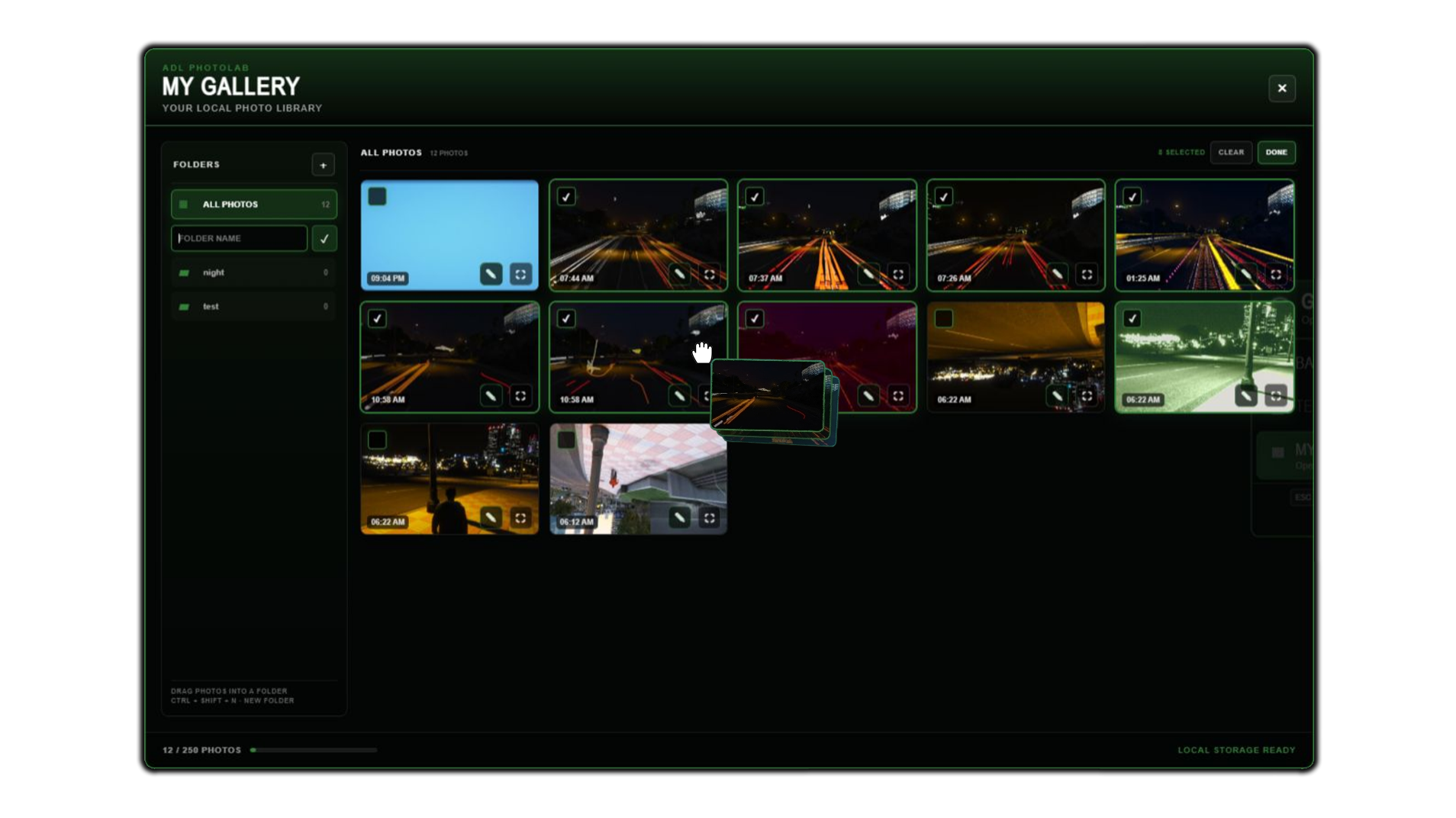
Photography no longer ends when you press the shutter.
PhotoLab includes a complete Gallery workflow with two spaces:
Temporary Gallery: quickly review photographs taken during the current session.
My Gallery: keep selected photographs available for later viewing and editing.
Browse photographs fullscreen, navigate between them, organize your collection and choose which shots are worth keeping.
Keep the complete photo-session workflow in one place, from capture to final selection.
Edit Saved Photos
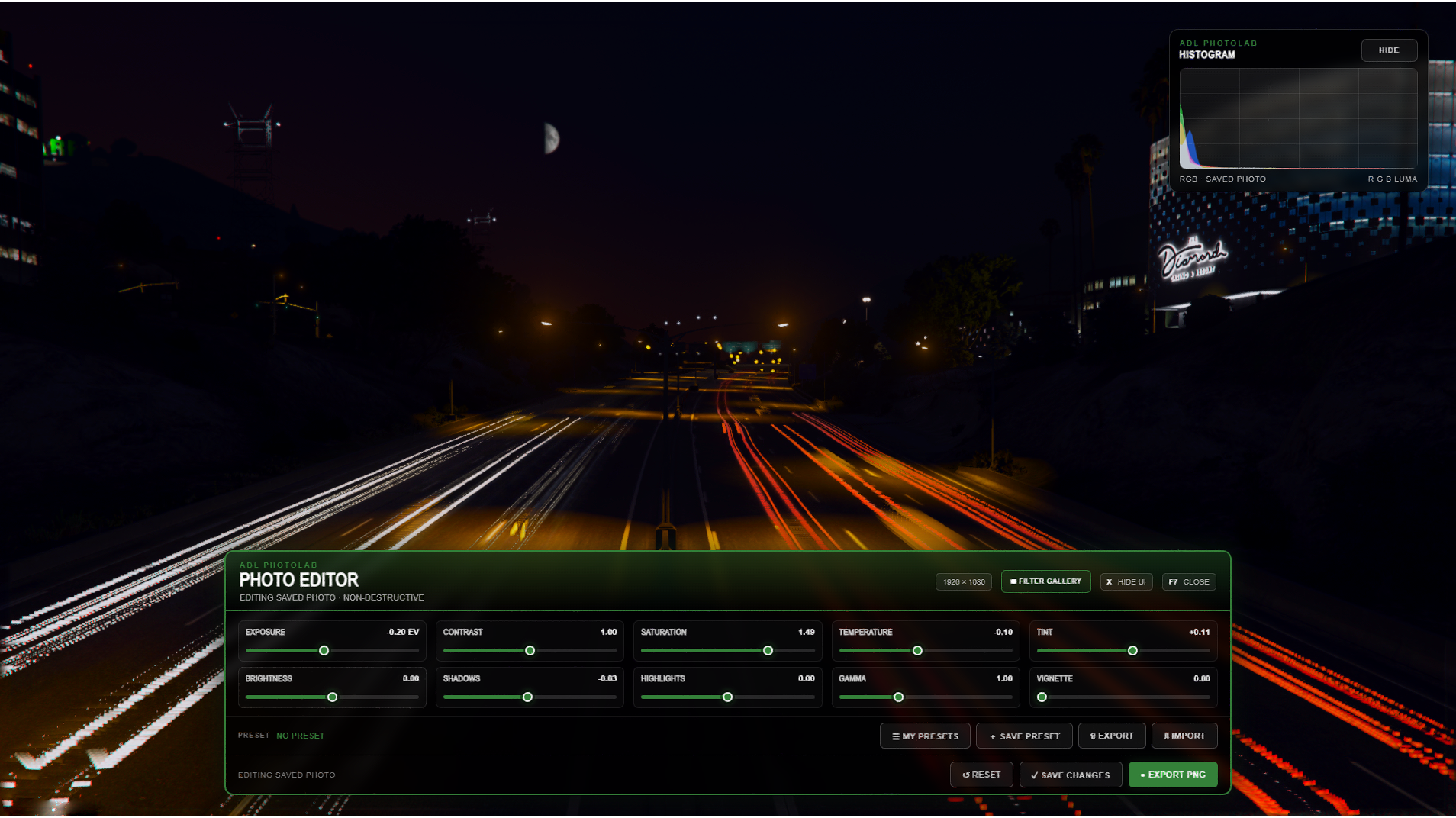
Saved photographs can be reopened in the Photo Editor directly from the Gallery.
Apply color corrections, filters and FX after the photo has already been taken. Your edits remain attached to the photograph, while Reset to Original lets you recover the untouched version whenever you want.
Take the photo when the moment happens. Decide on the final look afterwards.
Filter Gallery
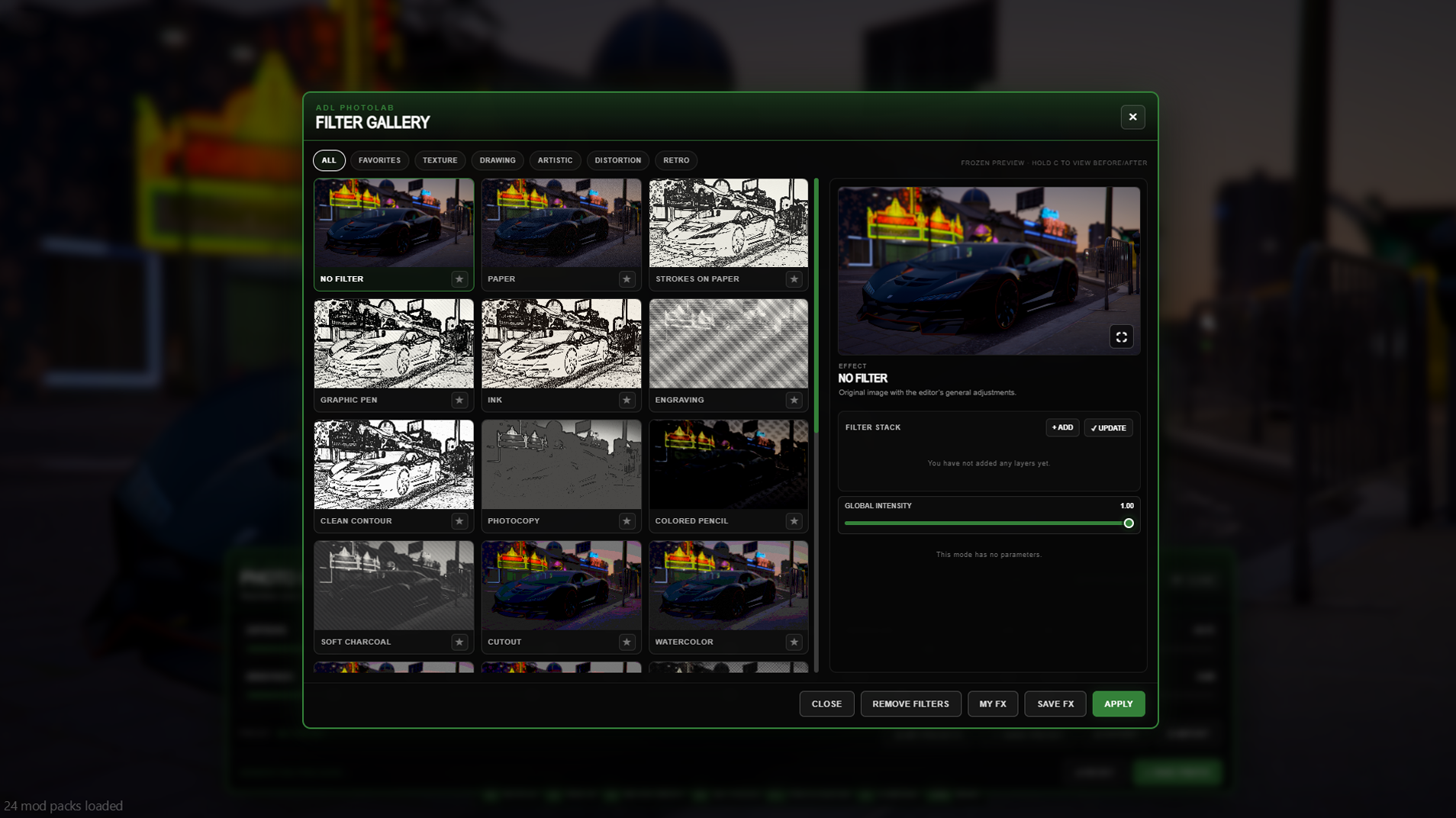
The visual Filter Gallery lets you preview effects using the photograph you are actually working on.
Filters are organized into categories such as Artistic, Drawing, Retro, Texture, Distortion and Favorites, with styles including Paper, Ink, Engraving, Watercolor, Comic, Halftone, Noir, Vintage, VHS and many more.
Many effects include their own adjustable parameters, so the result can be pushed strongly or kept subtle depending on the photograph.
Build Your Own Look
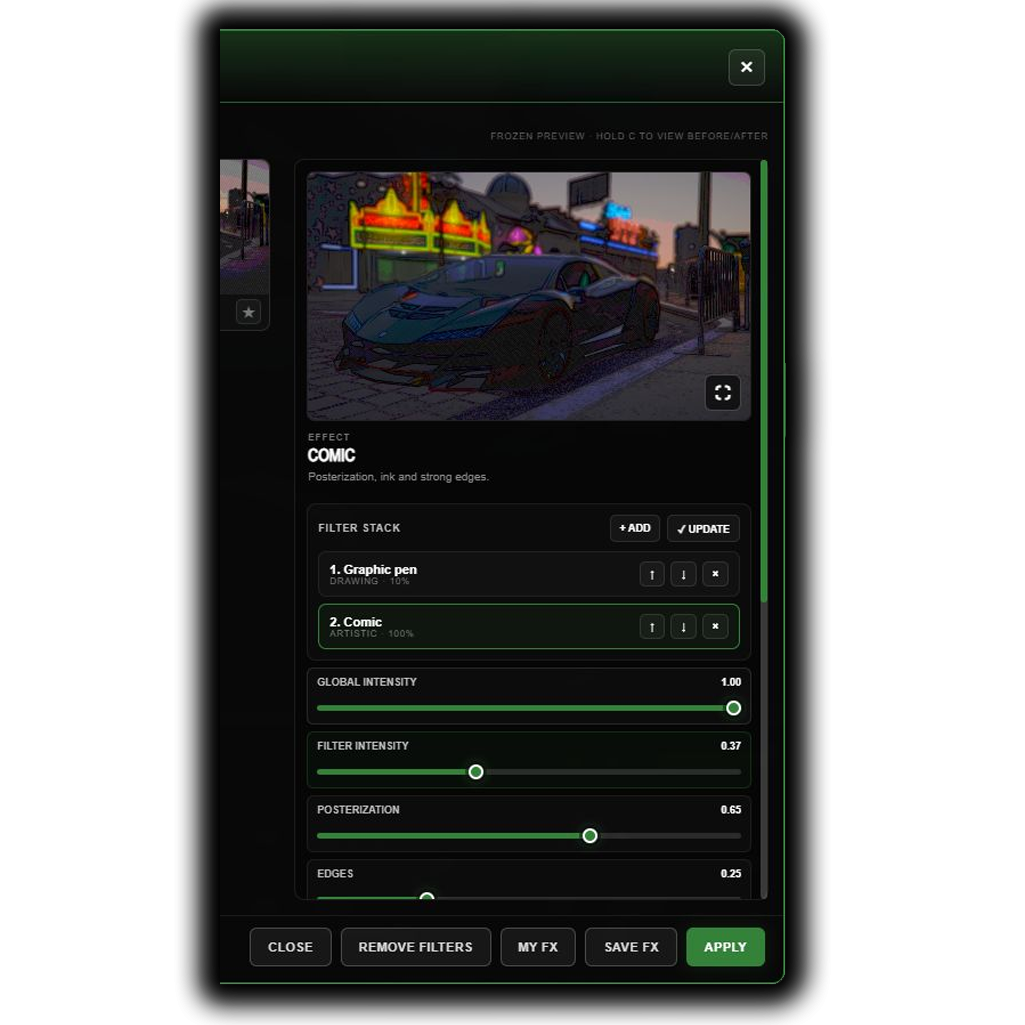
You are not limited to a single effect.
Build a complete filter stack, change the order of each layer and control every filter with its own intensity. A global intensity setting lets you control the complete combination without destroying the individual values.
When you find a combination you like, save it as an FX and reuse that style later.
Full Photo Presets
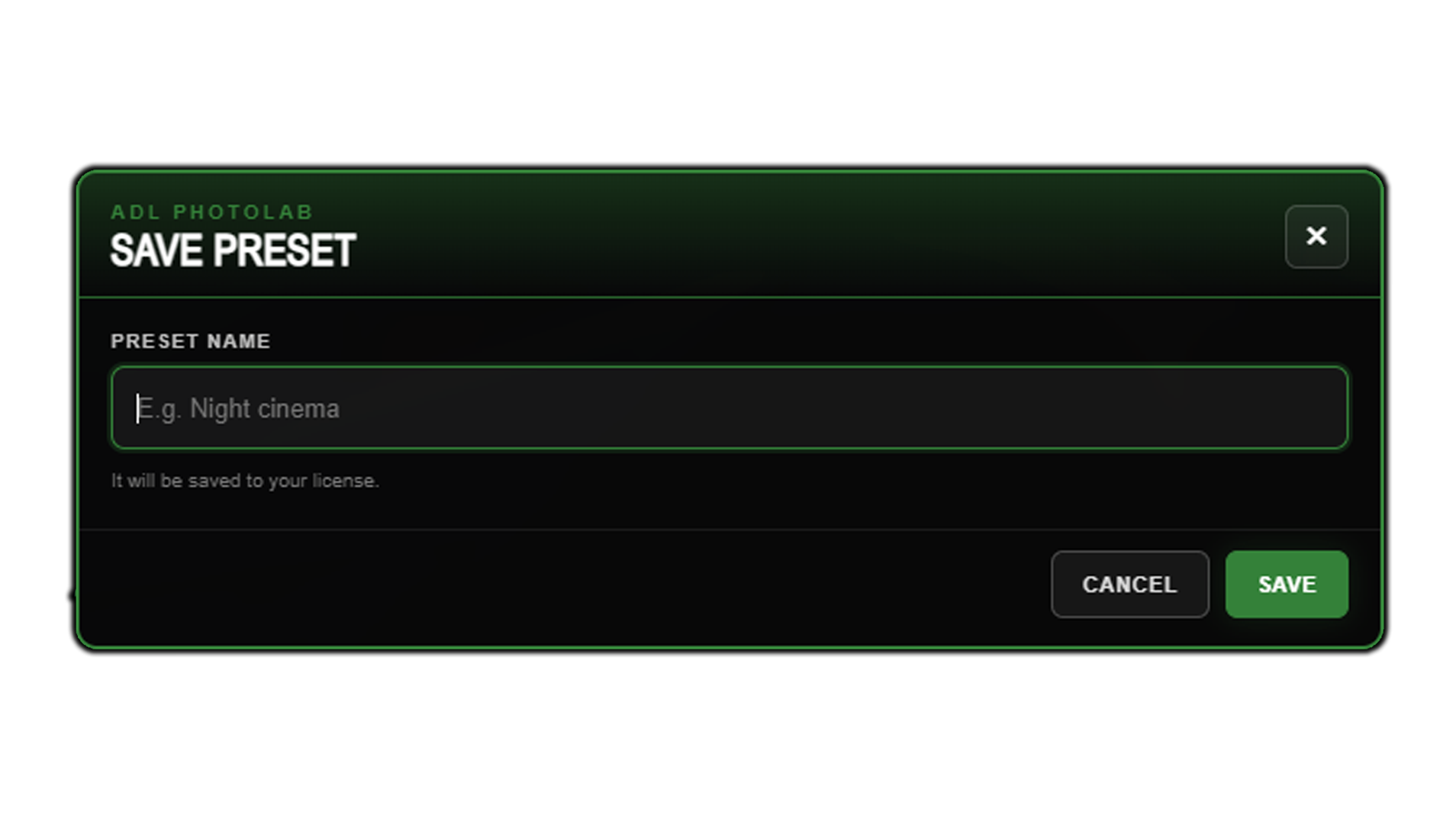
Save the complete Photo Editor setup as a reusable preset.
A preset can preserve your color corrections, exposure settings, filter stack, parameters and intensities. Presets can be saved, updated, deleted, applied, exported and imported.
Export codes also make it easy to share complete looks with other photographers or keep a consistent visual style across your server or creator brand.
Quick Comparison
Use the comparison shortcut while editing to instantly check the photograph without the current artistic effects.
A fast before / after view helps you keep the edit intentional instead of simply adding more effects because they are available.
Export Your Photograph
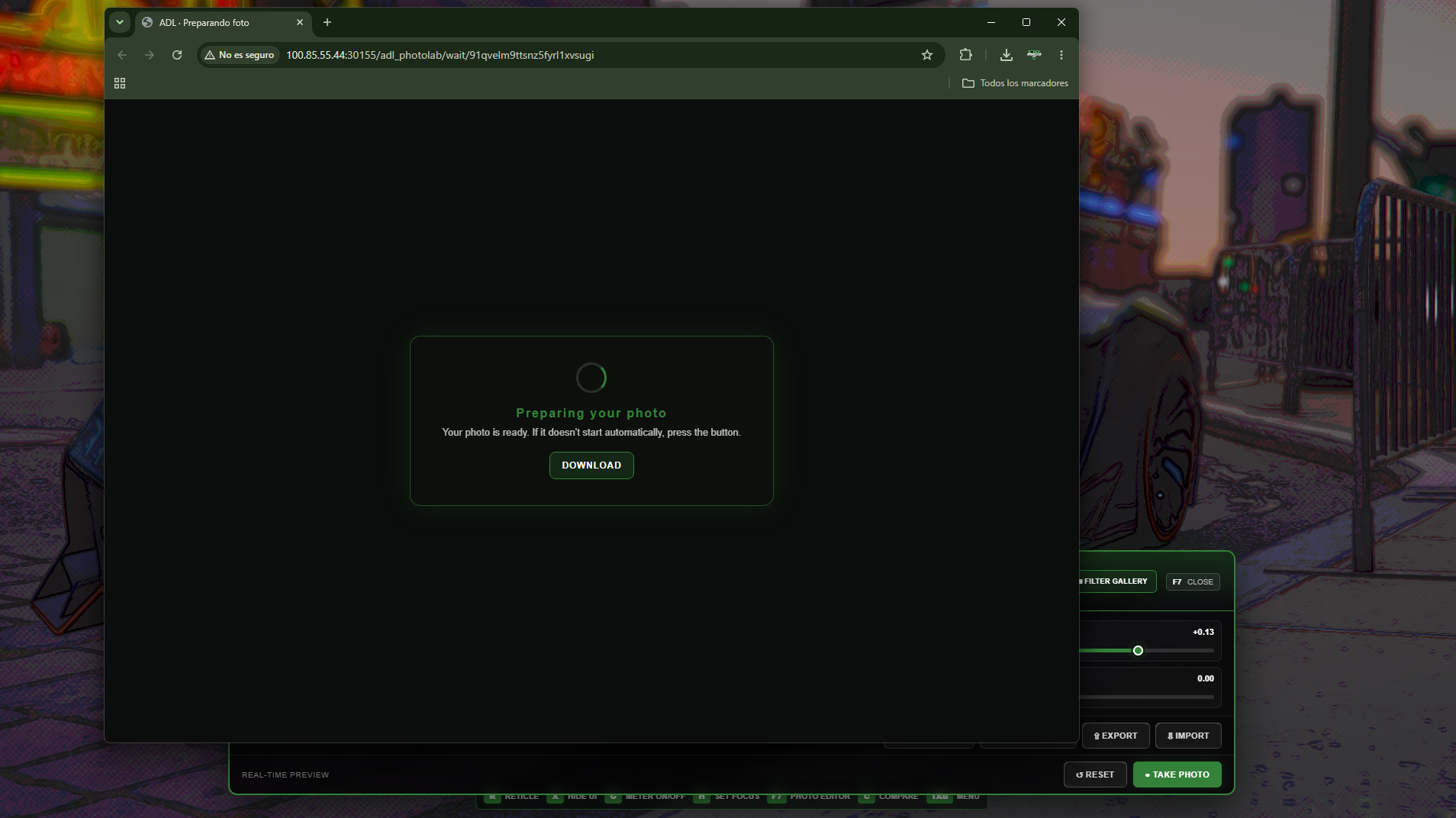
When the photograph is ready, export the final result as a PNG directly from PhotoLab.
The exported image includes the active corrections and effects and is ready for Discord, social media, store pages, vehicle showcases, clothing previews or anything else you want to create.
Photo export bandwidth is configurable so server owners can adapt the process to their environment.
Configuration & Access
ADL PhotoLab is designed to fit into different servers without forcing a specific framework or permission system.
You can configure:
Language.
Command and controller access.
Permissions.
Identifier access.
Discord Role access.
Controls.
Camera settings.
Depth of field.
Motion Exposure.
Light Control and exposure meter.
Gallery limits.
Photo Editor options.
Export behavior and bandwidth.
Visual options.
Included Languages
The resource currently includes:
Spanish.
English.
Portuguese.
German.
French.
Italian.
One Tool, Different Ways to Use It
For a roleplay server, PhotoLab can become an activity, profession or content system.
For a creator, it can become the place where promotional images are produced.
Use it for:
Professional photographers.
Vehicle showcases and advertisements.
Clothing previews.
Map and MLO showcases.
Events and weddings.
Reporters and police photography.
Character sessions.
Server social networks.
Store images and promotional material.
Photography competitions.
Same FiveM world. More ways to photograph it.